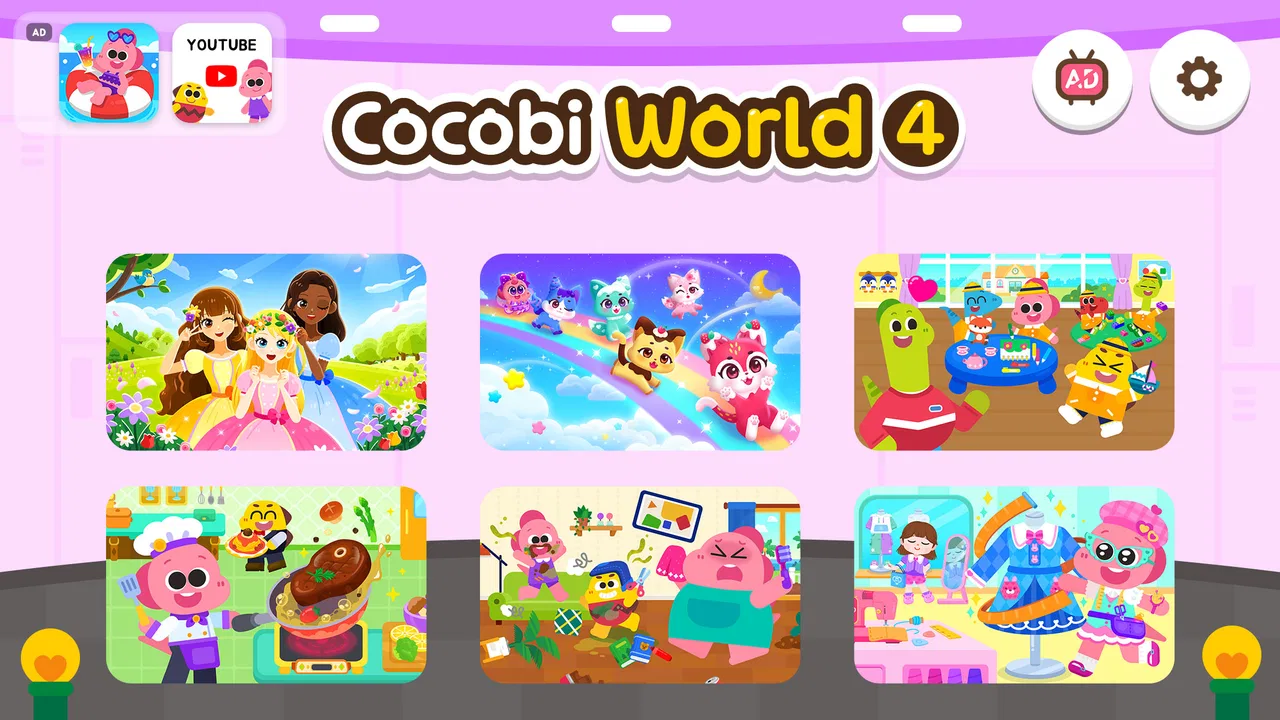
Cocobi World 4 - Kids Game
- 3.8
- Rating
- 1.00M
- Installs
- Free
- Price

 Analysis by App-foxy
Cocobi World 4 - Kids Game made a cheerful first impression when I tried it. It is a free educational game from KIGLE, built around Cocobi’s small dinosaur characters and short activities aimed at young children. The presentation is bright and approachable, and the age rating of Everyone makes its intended audience clear. My main question after the initial excitement was not whether a child would enjoy opening it, but whether it would still deserve a place on a device after the novelty wore off.
That distinction matters with children’s games. A colorful opening can hold attention for an afternoon, while lasting value depends on whether the child can return without constant adult help, whether the activities remain understandable, and whether the experience feels varied enough to support a routine. In my experience, this game has a genuine use as a light, friendly learning break, but its long-term role depends heavily on the child’s age, patience, and appetite for repetition.
What the first week feels like
The first few sessions are the strongest part of the experience. Cocobi’s dinosaur theme gives the game an immediate identity, and the simple visual language helps a child understand where to tap without needing to read much. That is especially useful for preschool-age players who may recognize characters and objects before they can follow detailed written instructions.
You May Also Like

 Blood Strike: 2.5 Anniversary
Blood Strike’s Loadouts Turn Every Drop Into a Tactical Gamble
A close look at Blood Strike’s custom loadouts: how fast access to signature weapons reshapes its battle royale rhythm, rewards preparation, and narrows the gap between fights.

 Pandora - Music & Podcasts
Pandora’s Music Is Easy to Start, but Harder to Recover
Pandora’s strength is its low-effort path from a seed to a station. Its weak spot is how much confidence it asks you to place in connection, setup, and quiet recovery.

 8 Ball Pool
 Is Built on Rivalries, Rematches, and Routine
A close look at the rivalries, rematches, shared routines, and unanswered safety questions that turn a quick pool match into a persistent mobile community.

 Samsung Music
’s Quiet Strength Is Playing What You Already Own
Its reach comes less from spectacle than from dependable access to a personal library. That simplicity is both the app’s strongest retention engine and its ceiling.

 AccuWeather: Weather Radar
AccuWeather Review: A Quick, Clear Forecast for Everyday Decisions
For everyday plans, the best forecast is the one you can understand quickly. AccuWeather makes rain timing, radar, and local conditions easy to act on, with a few trade-offs.

 Hill Climb Racing
Why Hill Climb Racing Still Turns Crashes Into One More Run
A tiny car, a bumpy hill and one more upgrade: Hill Climb Racing keeps resurfacing because its simple chaos makes every near-miss feel personal.
More From Our News Desk



I would introduce it during a calm moment rather than handing it over as a completely unsupervised activity. A child can usually explore the colorful scenes naturally, but the first session is also a good opportunity to see which activities make sense to them and which ones require explanation. Once the basic pattern is familiar, the child can often move through the game more confidently.
The educational category is a good description of its purpose, although I would treat it as informal learning rather than a replacement for a structured early-learning program. The game works best when it reinforces attention, recognition, simple choices, and hand-eye coordination through play. It is not the kind of tool I would use to track academic progress or expect to teach a complete subject on its own.
A realistic everyday use would be a short activity after dinner while a parent finishes a small household task. The child gets a contained digital activity, and the adult can check in without having to explain a complicated control system. Another suitable moment is travel, when a few familiar mini-games can be more practical than carrying several physical toys. I would still keep the session bounded, because easy access can turn a brief distraction into a much longer screen-time request.
The game’s free entry point lowers the risk of trying it. That makes it easier for a parent to see whether the style suits a child before spending anything. However, free does not automatically mean frictionless. In-app purchases are listed at $3.49 per item, so I would review purchase controls before allowing a child to play independently. Even when the child cannot complete a purchase alone, an accidental tap or request can interrupt the experience and create unnecessary pressure.
During the first week, the biggest advantage is accessibility. The characters are inviting, the activities are designed for quick understanding, and the game does not present itself as intimidating homework. A child who resists worksheets may be more willing to engage with a dinosaur-led activity. That emotional entry point is valuable, particularly when the goal is to encourage a few minutes of focused play rather than demand formal study.
Still, I would not assume that every child will respond equally. Children who prefer construction, open-ended drawing, or fast action may find the guided activities too gentle. Older children may also move through the appeal quickly, especially if they already use more advanced educational apps. The Everyone rating describes broad suitability, not a promise that the difficulty will fit every child in that wide range.
Why the characters help, and where they do not
Cocobi gives the experience a friendly emotional anchor. That can make transitions easier: a child may accept a short learning activity because it feels like time with familiar little dinosaurs rather than a lesson imposed by an adult. I find this more useful than a purely academic interface when a child is tired or needs encouragement to begin.
The trade-off is that character appeal can carry the first sessions more strongly than the underlying activity design. Parents should watch what the child is actually practicing instead of assuming that a cute theme guarantees meaningful learning. I recommend asking the child to describe what they did afterward, or repeating the idea away from the screen with toys, drawings, or ordinary household objects. That small follow-up turns passive tapping into a more memorable activity.
This is also one of the better ways to test whether the game is helping. If the child can explain a choice, recognize a pattern, or apply an idea outside the app, the session has more value than simply keeping them occupied. If the child only remembers the characters and wants to reopen the game, the entertainment side may be doing more work than the educational side.
What remains useful after the novelty fades
The month-to-month question is harder. A child can enjoy a game repeatedly when it offers discovery, progression, or a dependable ritual, but a simple collection of familiar activities may eventually feel predictable. I would expect the strongest recurring value to come from younger children who enjoy repetition and benefit from practicing the same basic skills in a low-pressure setting.
Repetition is not automatically a weakness for early learners. Repeating a recognizable task can help a child become more independent and less frustrated. The problem appears when the child is no longer thinking and is only tapping through a familiar sequence. At that point, the app may still be pleasant, but its educational return is likely to be lower than it was during the first sessions.
My practical approach would be to rotate it rather than make it the default daily activity. Use it on selected days, pair it with an offline activity, and notice whether the child asks for it because they enjoy the challenge or simply because it is the easiest screen option. This kind of rotation protects the game from becoming background noise and gives the child a reason to return with fresh attention.
Parents often want to know whether a child can use it without help. My answer is: partly, depending on age and familiarity. The simple presentation should make independent exploration possible for many young players, but I would not treat that as guaranteed. A child may understand the tapping while still needing help with navigation, device settings, purchases, or deciding when to stop.
That last point is important because the game is designed to invite continued engagement. A child may not recognize the difference between a useful short session and endless repetition. I would establish the routine outside the app: explain how long the session lasts, use a visible timer if needed, and finish with a clear transition such as washing hands, reading, or preparing for bed. The game is easier to manage when the stopping rule belongs to the household rather than to the child’s mood in the moment.
Another question is whether it can replace other learning tools. I would not use it that way. Compared with books, puzzles, or guided play with an adult, it offers convenience and immediate feedback, but less physical interaction and less room for a parent to adapt the challenge. Compared with more academic learning apps, it may feel warmer and less demanding, but it may not provide the same depth or structured progression. Its best position is between entertainment and casual learning.
That middle ground is also its most honest strength. A parent who wants a gentle dinosaur-themed activity for occasional practice may find a good fit. A parent looking for a complete curriculum, detailed progress reports, or a serious skill-building program should consider a more specialized alternative. Choosing it for what it actually does is more likely to lead to satisfaction than expecting it to cover every educational need.
How I would build a useful routine
I would begin by playing alongside the child once or twice. That reveals whether the controls are clear, identifies activities that hold attention, and gives the adult a chance to connect the on-screen idea to real life. For example, after a matching or recognition activity, you can ask the child to find similar objects in the room. This makes the game a starting point rather than the entire lesson.
Next, I would keep the app in a rotation with non-screen choices. A simple schedule might place it after a book, before a snack, or as a short travel activity, rather than leaving it available as the first response to boredom. The goal is not to make the game feel like a reward that must be earned, but to prevent it from becoming the only familiar source of stimulation.
I would also reassess it every few weeks. Ask whether the child is still learning something, whether they can navigate more independently, and whether the sessions end calmly. If the child is rushing through everything or becoming upset when it is time to stop, the game may need a break even if they still claim to enjoy it. Long-term value includes how well a product fits family routines, not just how entertaining it is.
Maintenance, fatigue, and the small costs of keeping it around
The maintenance burden is fairly ordinary but should not be ignored. The game requires a compatible device running Android 7.0 or later, and the current version is 1.0.10. Keeping a children’s app available means supervising updates, checking that the device remains suitable, and making sure the child is using the intended profile or device. These are small tasks, but they matter when a child expects the game to open immediately.
Because the title is free, storage and purchase management become more important than the initial download decision. I would not leave payment access completely open on a child’s device. The listed per-item purchase price is $3.49, and even a modest purchase can be an unwelcome surprise if a child is exploring menus without understanding what a transaction means.
I would also check the game after updates instead of assuming the experience is unchanged. A quick adult review can confirm that the controls still make sense, the child’s preferred activities remain easy to reach, and the device is not presenting confusing prompts. This is not a reason to avoid the game; it is simply normal care for any app intended for young children.
The game has an average rating of 3.8 from around 2.2 thousand ratings, with 26 written reviews shown alongside it. I read that as a sign to keep expectations measured rather than as a decisive verdict. The broad install base, at over 1 million installs, suggests that the concept has reached many families, but popularity does not tell me whether it will suit a particular child’s attention span or learning style.
One maintenance habit I recommend is clearing away access when the app no longer serves its purpose. Parents sometimes keep children’s games installed indefinitely because they are harmless enough, even after the child has outgrown them. If the activities have become automatic or the child has moved to more suitable material, removing the shortcut can reduce clutter and make room for tools that better match their current interests.
Where tiredness can set in
The main source of fatigue is likely to be repetition. A young child may enjoy doing a familiar activity several times, while a sibling or older player may lose interest much sooner. If the game’s novelty comes mostly from the dinosaurs and the colorful scenes, the lasting challenge may not be strong enough for every household.
Another possible frustration is the gap between a child’s ability to play and their ability to manage the device. A child may know exactly which activity they want but still need an adult to handle navigation, volume, interruptions, or purchases. That can make a supposedly independent session less independent in practice. I would keep the device configured before handing it over and avoid introducing the game during a rushed moment.
Screen fatigue is a separate concern. Even a gentle educational game can become tiring when used for too long, especially close to bedtime. I would look for signs such as irritability, rushed tapping, or difficulty switching to another activity. If those appear, the correct response is usually a break, not a search for a different mode inside the same app.
The game may also be a poor fit for children who need a clear sense of advancement. Some players are motivated by levels, measurable goals, or increasingly difficult challenges. If that is what keeps a child engaged, a dedicated learning platform or a well-designed puzzle game may offer stronger long-term motivation. Cocobi World 4 is more appealing as a friendly activity than as a demanding progression system.
There is also a social limitation. A child can share the experience with a parent or sibling, but the app itself is not a substitute for collaborative play with real people. If the child is using it to avoid interaction entirely, I would change the routine and use it as a prompt for conversation instead. Asking them to explain a choice or show a parent what they discovered can restore some of the social value that a screen naturally lacks.
Who should keep it, and who should move on
I would recommend keeping this game available for families with a young child who enjoys dinosaur characters, benefits from short guided activities, and responds well to repetition. It is particularly suitable when a parent wants something lighter than formal lessons but more purposeful than an entirely passive video. The free price makes experimentation straightforward, provided purchase controls are handled responsibly.
I would be more cautious for families with older children, children who need advanced challenges, or parents who want detailed evidence of educational progress. In those cases, a more structured learning app, physical activity, or hands-on game may provide better value over time. The game’s Everyone rating makes it broadly approachable, but broad accessibility is not the same as a precise developmental match.
My strongest recommendation is to use it as part of a small routine rather than as a permanent digital babysitter. Start with a shared session, set a stopping point, connect one activity to something away from the screen, and revisit the decision after the first few weeks. Those steps reveal whether the game is supporting curiosity or merely filling silence.
After the first-week charm fades, I still see a place for it, but not an unlimited one. Its lasting value comes from being easy to approach, emotionally friendly, and suitable for brief learning-oriented play. Its weaknesses are the familiar ones for this kind of children’s game: repetition can reduce interest, adult supervision remains useful, and it cannot replace richer offline learning.
My final view is that Cocobi World 4 - Kids Game earns a modest, conditional place on a family device. I would keep it for occasional sessions if a child genuinely enjoys the Cocobi world and can move on calmly afterward. I would remove it or replace it when the activities become automatic, the child outgrows the level of challenge, or the app starts competing with better offline choices. It is a pleasant tool for a specific moment, and that is enough—as long as it is maintained as one option among many rather than treated as a complete learning solution.
FAQs for Cocobi World 4 - Kids Game
01What is Cocobi World 4 - Kids Game about?
Cocobi World 4 - Kids Game is an interactive educational app designed for young children. It offers a vibrant and engaging virtual world where kids can explore various activities, puzzles, and mini-games. The app emphasizes learning through play, focusing on developing cognitive skills, creativity, and problem-solving abilities in a fun environment.
02Is Cocobi World 4 - Kids Game safe for my child to use?
Yes, Cocobi World 4 - Kids Game is specifically designed with children's safety in mind. It features age-appropriate content, no in-app purchases, and does not collect personal data. The app provides a safe and secure environment for kids to explore and learn, giving parents peace of mind.
03What age group is Cocobi World 4 - Kids Game suitable for?
Cocobi World 4 - Kids Game is suitable for children ages 3 to 8. The activities are designed to cater to different developmental stages, ensuring that both preschoolers and early elementary school children can benefit from and enjoy what the app has to offer.
04Does Cocobi World 4 - Kids Game require an internet connection?
Cocobi World 4 - Kids Game can be played offline, making it convenient for use without an internet connection. This feature allows children to enjoy the game on-the-go, whether during travel or in areas with limited connectivity, without any interruptions.
05Are there any educational benefits to playing Cocobi World 4 - Kids Game?
Yes, Cocobi World 4 - Kids Game is designed to be educational as well as entertaining. It incorporates elements that help develop critical thinking, memory, and creativity. Through interactive play, children can enhance their language skills, learn numbers and shapes, and improve their hand-eye coordination.
Pros
- Engaging educational content for kids.
- Colorful graphics enhance learning experience.
- User-friendly interface for young users.
- Regular updates with new activities.
- Safe environment with no ads.
Cons
- Limited content in the free version.
- Requires internet for full features.
- Some activities may be too simple.
- Occasional in-app purchase prompts.
- No multiplayer or social features.

Cocobi World 4 - Kids Game
Gallery